
How It Works · Overview
Wellbytes Setup and Claims Overview
Follow the journey from company and plan details to employee claims. See what you prepare, what Wellbytes administers and what needs to be in place at each stage.
Before you start
Begin with your business, participants and the benefits you intend to provide.
For employers & HR
Build benefits for your team
Decide who the plan covers, how employee groups are organized and what benefit allowances fit your business.
For incorporated professionals
Start with your corporation
Prepare your company details and review participant eligibility, plan terms and funding before using the plan.
From setup to reimbursement
A practical view of the responsibilities and information involved in using a plan.
01
Establish your plan
Start with the company, administrator and intended participants. Confirm eligibility and plan terms before relying on benefits to cover expenses.
Your part
Provide company and contact details, identify participants and review the proposed plan terms.
Wellbytes’ part
Provides online setup and the administration platform for your company’s plan.
Ready when
The company and intended participants are identified, with plan terms ready to review.
02
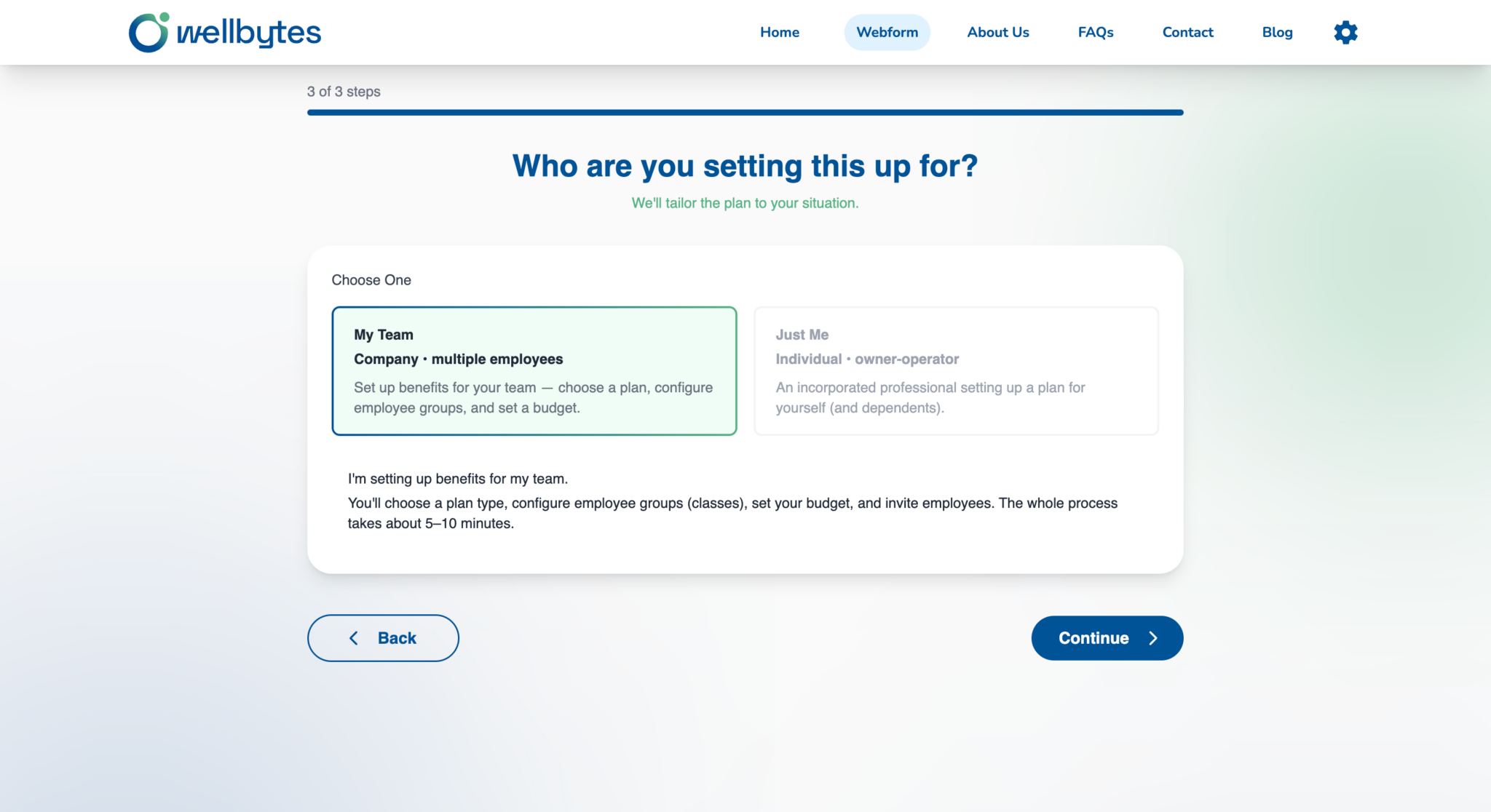
Configure employee benefits
Translate your benefits decisions into employee groups and allowances. Check eligibility rules, effective dates and any HSA or WSA choices offered by the plan.
Your part
Confirm employee groups, benefit allowances and the rules that apply to each group.
Wellbytes’ part
Supports employee records and funding classifications in the administration platform.
Ready when
Participant records and plan configuration reflect the benefits you intend to provide.
03
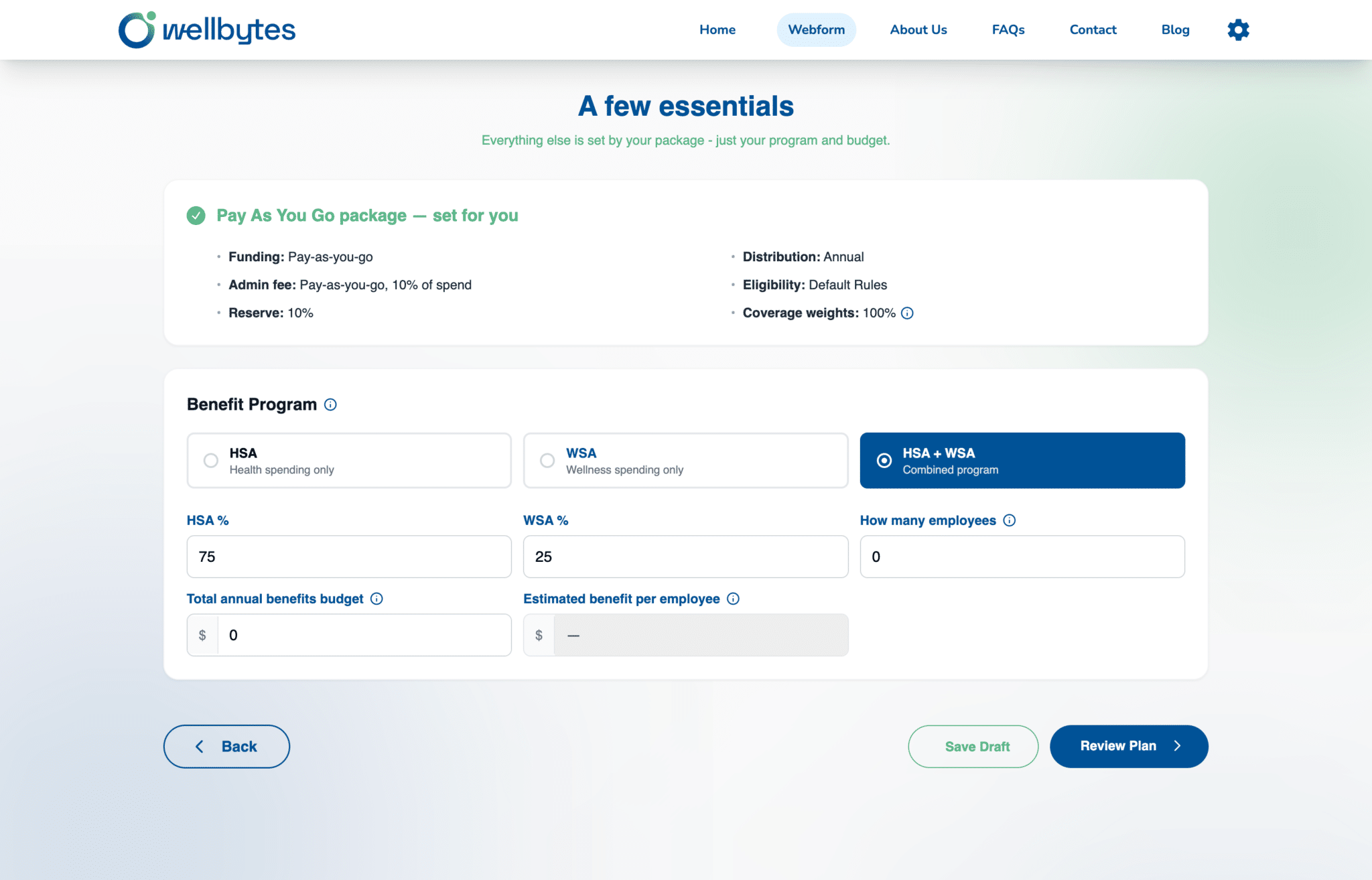
Prepare the funding
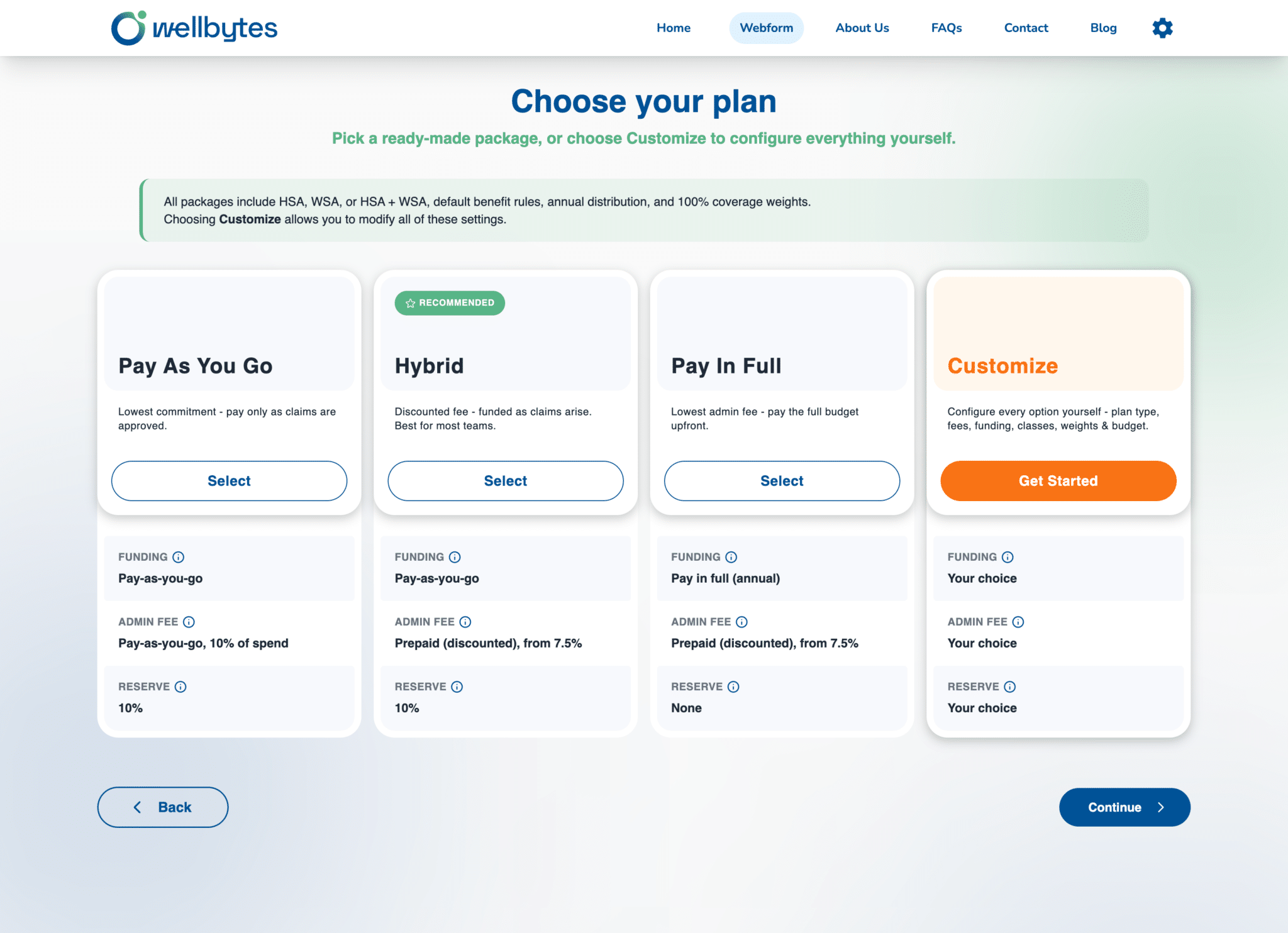
Understand how your plan is funded before claims are paid. Include administration charges and applicable taxes when assessing the business’s funding requirements.
Your part
Confirm the funding arrangement, timing and total costs relevant to your plan.
Wellbytes’ part
Administers the plan’s claims and funding records under the applicable arrangement.
Ready when
You understand the funding requirements and how benefits become available.
04
Employees submit eligible expenses
Participants check their plan, keep supporting receipts and submit expenses for review. Coverage depends on the account, plan rules, eligibility and available benefits.
Your part
Give employees clear plan information; participants submit receipts and requested supporting details.
Wellbytes’ part
Receives claims and supporting documents for assessment against the plan’s requirements.
Ready when
Claims contain the information needed for review, with missing documents addressed.
05
Claims are reviewed and reimbursed
Wellbytes reviews submitted claims. Approved reimbursements proceed when the applicable documentation and funding requirements are met; approval or a payment time is not guaranteed by submission alone.
Your part
Respond to questions, review claim decisions and ensure the plan’s funding requirements are met.
Wellbytes’ part
Reviews claims and arranges reimbursement once the applicable requirements are satisfied.
Ready when
Claim decisions and completed reimbursements are recorded for the plan.
Keep the plan’s rules in view
Understand the plan before employees rely on it. HSA and WSA accounts have different expense and tax rules; check the terms that apply to your plan.
Set clear plan rules
Confirm participants, allowances and effective dates. A plan’s terms determine how benefits can be used.
Prepare employees
Share plan information and explain how to keep receipts, check available benefits and submit supporting documents.
Manage eligible claims
Claims are reviewed against the plan’s requirements. Approved reimbursements depend on the applicable documentation and funding.
